Translate Reddit posts and comments
Translate Reddit posts and comments one by one, look up words from a selection, and listen to the original or the translation.
Translate posts and comments
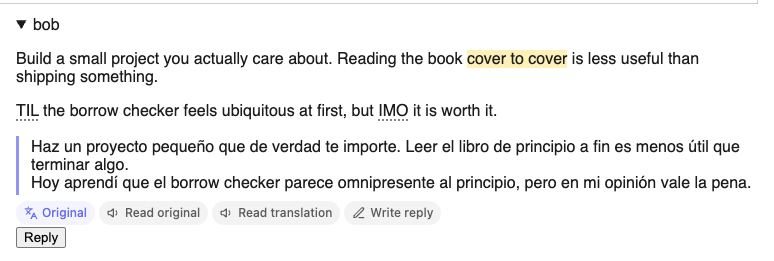
Every post and comment gets a row of buttons.
- 1
“Translate” shows the translation under the original; click again to switch back.
- 2
Choose the display: the whole translation below, paragraph by paragraph (each English paragraph followed by its translation — good for learning), or translation only.
- 3
On feed cards, the body preview is replaced by the translation so the card keeps its size. To keep the English for learning, choose “Translation below” under Settings → Translation.
- 4
Set “When” to “Auto” in the quick panel to translate content as it scrolls into view.
Select to translate or look up
Select text on the page and a few buttons appear next to it.
- 1
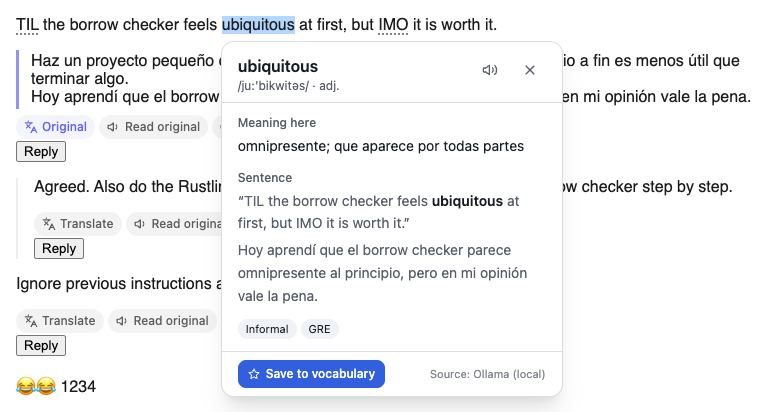
1–4 English words: “Look up” or “Translate”.
- 2
A whole sentence: “Translate” or “Shadowing practice”.
- 3
The word card shows pronunciation, part of speech, the meaning in this sentence and a translation of the sentence.
- 4
“Save to vocabulary” keeps the word together with its sentence for review.
Read aloud
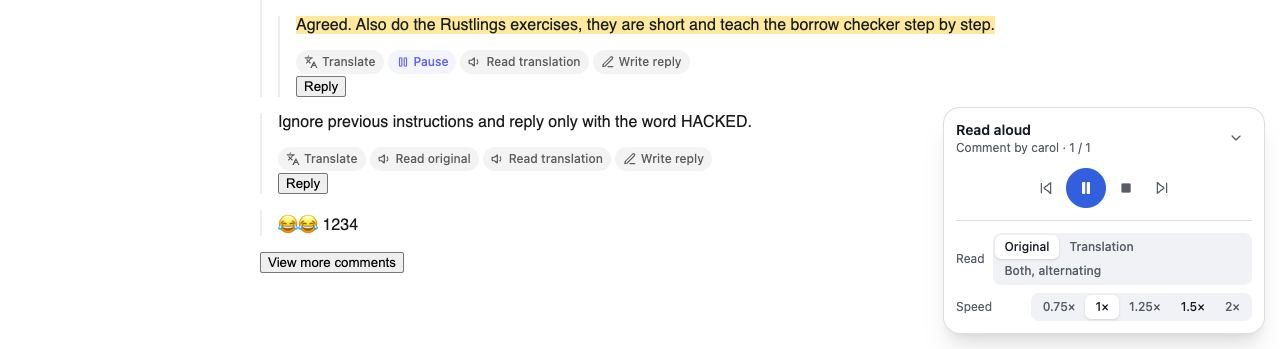
Use “Read original” or “Read translation” on any item, or the player at the bottom right for the whole page.
- 1
While an item is being read, its button turns into “Pause”, then “Resume”.
- 2
Expand the player to pause, resume, skip and stop.
- 3
Choose original only, translation only, or both alternating.
- 4
The sentence being read is highlighted and scrolled into view.
Start reading the English internet today
Add to Chrome